What are the two kinds of 360 tour software?
| Capture tours | Remodel tours | |
|---|---|---|
| Shows | The space as it is today | The space after the planned remodel, next to today |
| Made from | 360 camera shots, phone app or 3D scan | 2 normal phone photos and a list of changes |
| Best for | Job documentation, progress, real estate, portfolio | Selling the job at the estimate |
| Examples | Kuula, CloudPano, Panoee, Matterport | Remodel in 360 |
Many contractors use both: a capture tool to document jobs and show finished work, and a remodel tour to win the job in the first place.
Which 360 tour software is best for contractors?
| Software | Type | Best for | Starting price |
|---|---|---|---|
| Remodel in 360 | Remodel tour | Showing the client their room finished, before they sign | First tour free, then $49/month |
| Kuula | Capture | Simple, cheap 360 photo tours from any camera | Free; Pro $20/month, Business $36/month |
| CloudPano | Capture | Branded and white-label tours, construction site tours | Free; Pro $27/month, Pro Plus $33/month |
| Panoee | Capture | Free tour builder with hotspots, floor plans and custom domain | Free plan; paid plans on its site |
| Matterport | 3D capture | Accurate digital twins with measurements | Free; Professional $90/month billed yearly |
Prices from each company's website, Capterra or PricingSaaS, checked October 2026. They change, so confirm before you buy. All names are trademarks of their owners. We make Remodel in 360, so weigh our view of our own product accordingly. See also Matterport alternatives and CloudPano alternatives.
How does Remodel in 360 make a tour of the finished room?
Take 2 photos
From the doorway and from the far corner, with your normal phone camera. No 360 camera, no tripod.
Say what changes
Type or dictate it: "tub out, walk-in shower, white tile to the ceiling, keep the vanity". You get a clear change list to confirm.
Send the tour
About 6 minutes later you have a 360° before & after tour with every change labeled, plus before/after sliders and one link for WhatsApp, text or email.
No 360 camera, no tripod, no stitching. The tour keeps what stays in the room, draws only the changes on your list and labels each one. Each tour includes 2 change rounds of about 2 minutes, and the client opens one link on any phone.
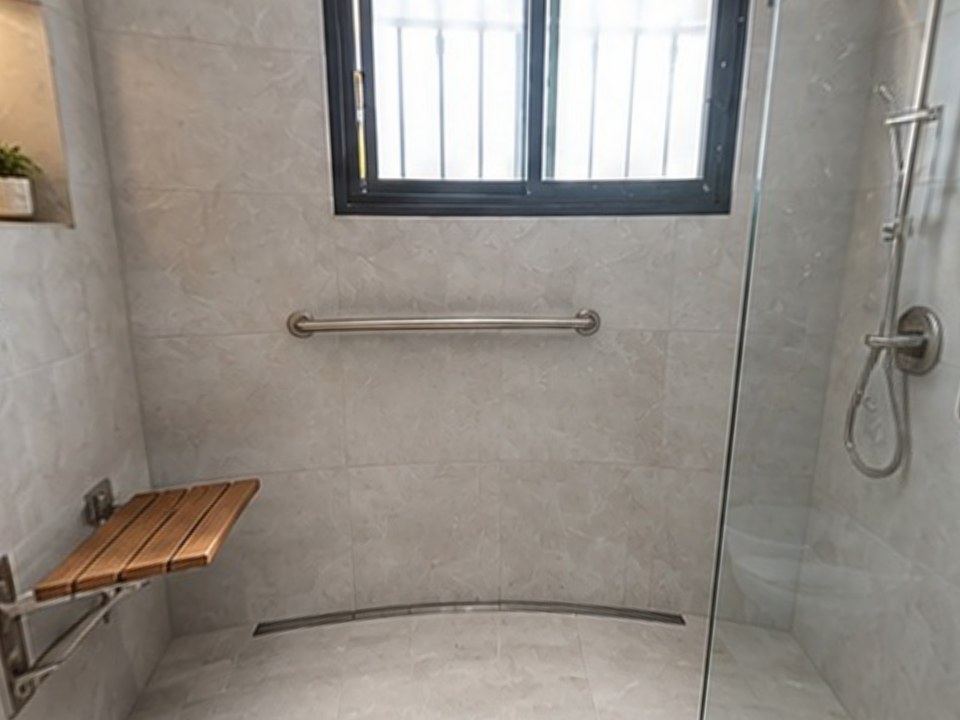
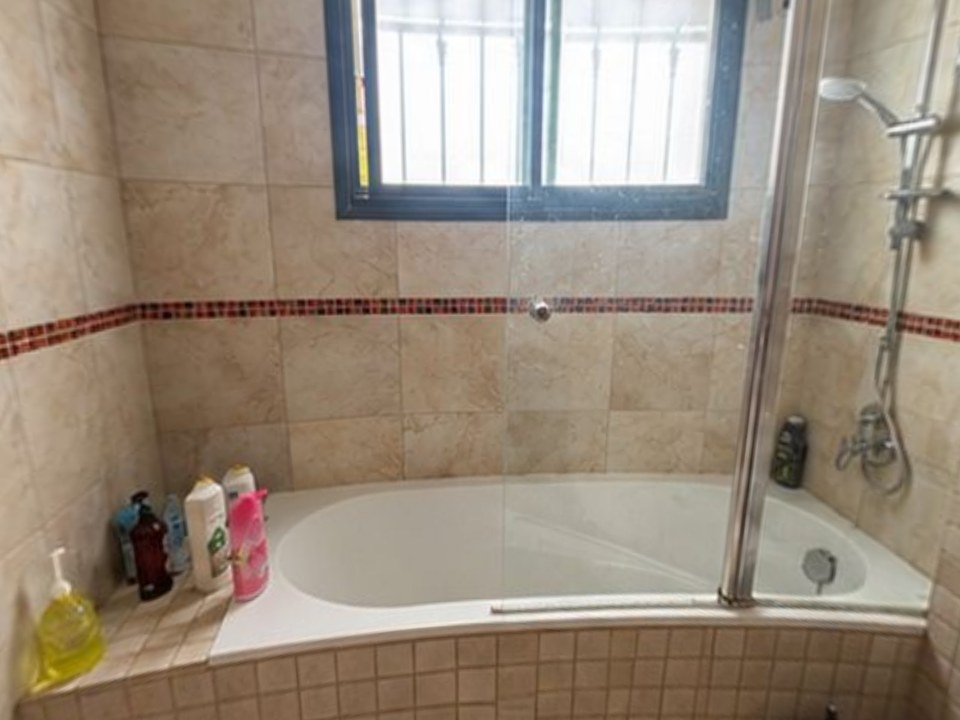
What does the client see in a remodel tour?
- Their own room in 360°: drag or turn the phone to look around
- A Before / After switch that keeps the same view
- Every planned change labeled where it is in the room
- What stays marked too, so they know what isn't changing
- Before/after sliders and one share link for family
Which capture tools are best for documenting jobs?
Kuula
Upload 360° photos from any camera and link them into a tour with hotspots. Free; Pro $20/month, Business $36/month (Capterra, October 2026). Good for a cheap portfolio of finished jobs.
CloudPano
360 tours from a 360 camera, video or its phone app, with branding, white-label domains and construction site tours. Free plan; Pro $27/month and Pro Plus $33/month on its pricing page (October 2026).
Panoee
A browser-based tour builder: upload 360° panoramas, add hotspots, floor plans and lead forms, and publish to your own domain. It has a free plan with paid plans for more storage and white-label.
Matterport
3D scans with measurements and a dollhouse view, often with its Pro3 camera (about $5,995). The most accurate option, and the most expensive.
Why does a 360 tour beat a single picture when you're selling?
A single rendering shows one angle you chose. In a 360° tour the client looks where they care: the shower, the vanity, the floor, the view from the doorway. They spend longer with it, they show it to whoever wasn't home, and they stop comparing bids only on price.
At our own remodeling company, our close rate went from 3 in 10 estimates to 5–6 in 10 after we started sending 360° tours.
Do you need a 360 camera?
For capture tools, usually yes: a 360 camera like a Ricoh Theta or Insta360, or a 3D scanner, gives the best results, though some tools have phone apps. For Remodel in 360, no: 2 normal phone photos, one from the doorway and one from the far corner, with the 0.5× lens if your phone has it. Want to view or share a 360 photo you already have? Use our free 360 photo viewer.
How do you choose 360 tour software as a contractor?
Decide what the tour is for
Documenting and marketing finished work: a capture tool. Winning the job: a remodel tour.
Check the capture you have
A 360 camera opens up Kuula, CloudPano and Panoee. Only a phone? Remodel in 360 or a phone-app tool.
Look at hosting and branding
Custom domain, logo and no watermarks matter if clients see the tours.
Compare real cost
Monthly plans vs. per-tour use; one extra signed remodel pays for years of most plans.