What does tile contractor software do?
| Job | What it handles | Example tools |
|---|---|---|
| Leads and CRM | Track inquiries, follow-ups, notes and files | Houzz Pro |
| Takeoffs and estimating | Square footage, tile counts, waste factors, setting materials, bids | BuildVision AI, Projul estimating |
| Project management | Crew scheduling, material orders, photos, job costing, invoicing | Projul, JobTread |
| Selling the look | Show the homeowner the finished tile in their room | Remodel in 360 |
Prices from each company's website, checked October 2026. We make Remodel in 360; other names are trademarks of their owners.
Why are tile jobs lost on price?
Tile is sold on looks, but homeowners can't picture a 3-inch sample on a whole shower wall. When they can't picture it, they compare bids on price, and the cheaper installer wins even if their prep and waterproofing are worse.
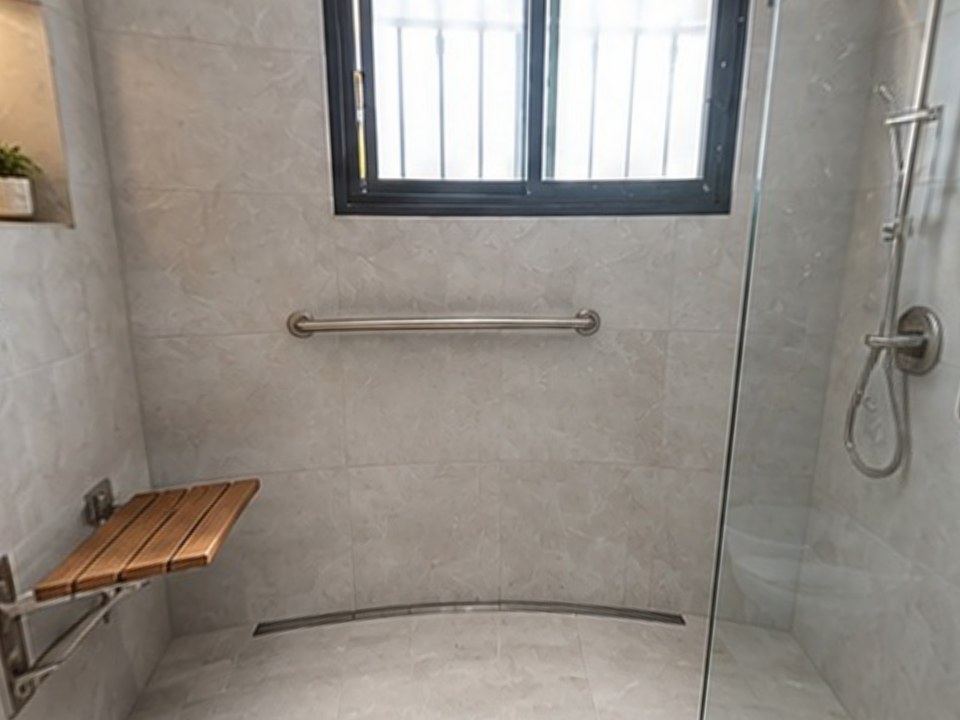
Showing the finished tile in their own bathroom changes the conversation. They see large-format porcelain to the ceiling, or the herringbone floor, and they're choosing a result, not a price per square foot.
At our own remodeling company, our close rate went from 3 in 10 estimates to 5–6 in 10 after we started sending 360° tours.
How do tile contractors use Remodel in 360?
Take 2 photos
From the doorway and the far corner of the bathroom or kitchen. Normal phone camera.
Describe the tile
In plain words: "12x24 matte white porcelain to the ceiling, black hexagon floor, niche with a marble shelf".
Send the tour
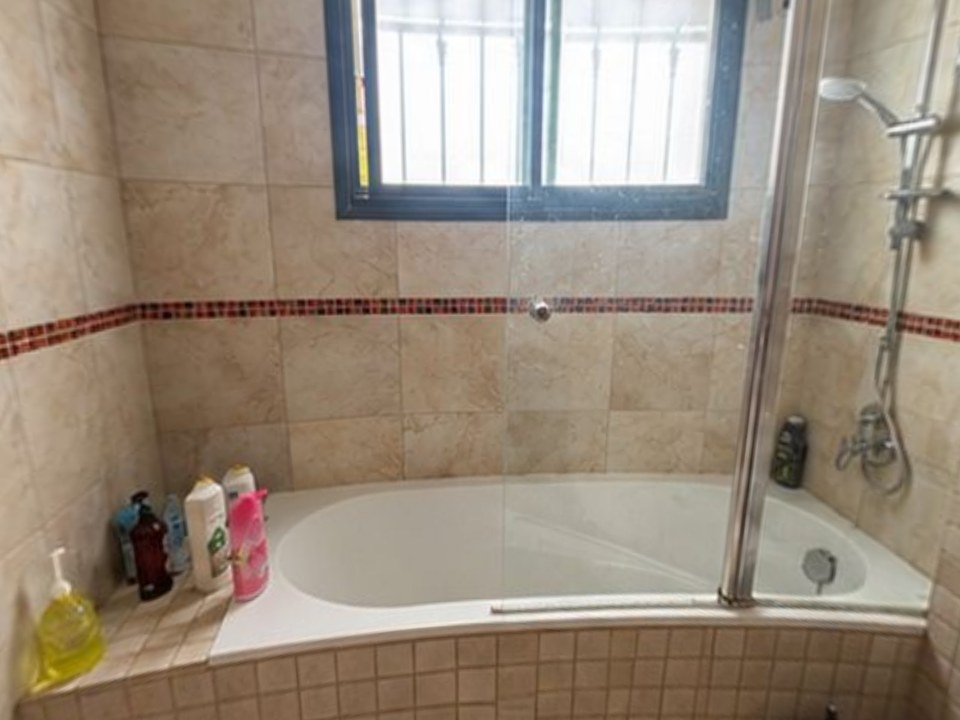
About 6 minutes later the client walks around their own room in 360°, before and after, every change labeled.
Try another option
"What about a warmer gray?" Each change round takes about 2 minutes.
Which tile contractor software should you use?
| Software | Best for | Starting price |
|---|---|---|
| Remodel in 360 | Showing the finished tile in the client's room | First tour free, then $49/month |
| Houzz Pro | CRM, leads and proposals | Free plan; paid $99–$399+/month |
| BuildVision AI | AI tile takeoffs and bids from plans | Free trial; see its site |
| Projul | Square-foot estimating, crew scheduling, invoicing | $199/month (billed yearly, up to 3 users) |
| JobTread | Estimates and job costing | $199/month + $20 per user |
Prices from each company's website, checked October 2026. They change, so confirm before you buy. See also remodeling contractor software.
What should a tile estimate include?
- Square footage of floors and walls, measured per area
- Waste factor: about 10% for straight lay, more for diagonal, herringbone and large-format
- Prep: demo, substrate repair, leveling, backer board
- Waterproofing for showers and wet areas
- Setting materials, grout, trim, edge profiles and transitions
- Labor by pattern and tile size, plus niches, benches and curbs
Build it with the free remodeling estimate template and scope of work generator.
Which tile jobs benefit most from a visual?
- Shower walls and tile to the ceiling. See tub to shower conversion software
- Bathroom floors and patterns like herringbone or hexagon
- Kitchen backsplashes. See the kitchen remodel visualizer
- Large-format porcelain, where clients worry about the look of fewer grout lines
- Choosing between two tile colors, one change round each
What does a tile visual not do?
Remodel in 360 doesn't measure square footage, count tiles or price the job. It's an AI visualization for selling, not a layout drawing, so exact tile sizes and pattern alignment are approximate. Use your estimating tool for numbers and the tour for the yes. More in bathroom remodel software.