Why do kitchen remodels need special apps?
A kitchen is the biggest check most homeowners write for a remodel, with the most decisions: cabinets, counters, backsplash, appliances, flooring, lighting and layout. Cabinets and appliances have long lead times, countertops are templated after cabinets go in, and one late selection pushes the whole job.
On the sales side, clients struggle to picture new cabinets and counters in their own kitchen, so they hesitate or compare bids on price. That's why kitchen contractors need two things most: a way to show the finished kitchen, and a way to keep selections and trades in order.
Which apps do kitchen remodeling contractors use?
| App | What it's for | Best for | Starting price |
|---|---|---|---|
| Remodel in 360 | Winning the job | 360° before & after of the client's real kitchen from 2 photos | First tour free, then $49/month |
| Clear Estimates | Estimating | Remodeling estimates from a cost library | See its site for current plans |
| Chief Architect | Design | Detailed kitchen design, cabinets and drawings | $229/month or $1,995/year |
| Houzz Pro | All-in-one | 3D floor plans, estimates, selections, leads | Free plan; paid $99–$399+/month |
| Projul | Project management | Scheduling, estimating, client portal | $199/month (billed yearly, up to 3 users) |
| Buildertrend | Project management | Full platform for established remodelers | From $499/month |
| CompanyCam | Job photos | Photo documentation from the field | See its site for current plans |
Prices from each company's pricing page or Capterra, checked October 2026. They change, so confirm before you buy. We make Remodel in 360; all other names are trademarks of their owners.
1. Remodel in 360: the app that helps you win the kitchen
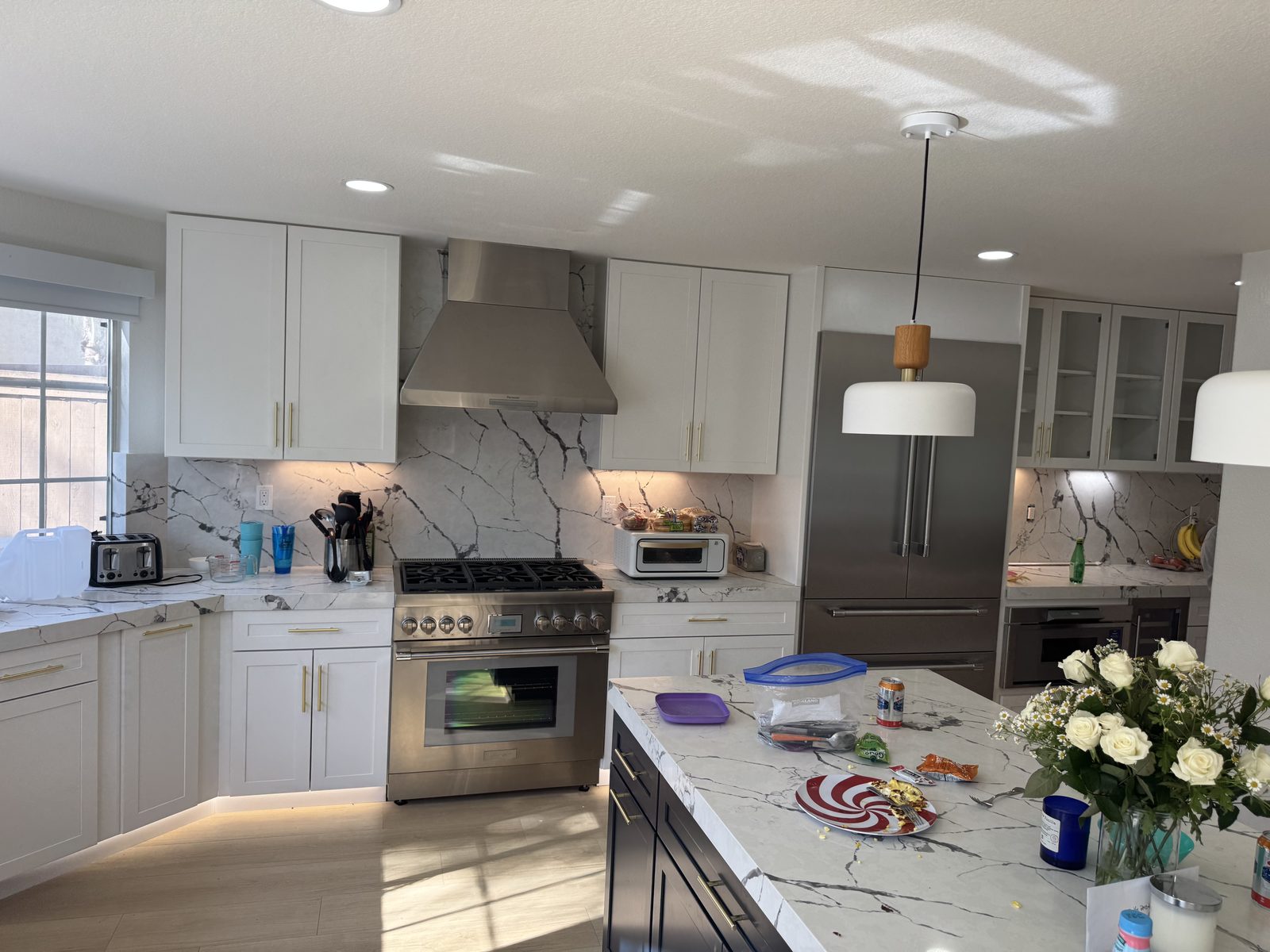
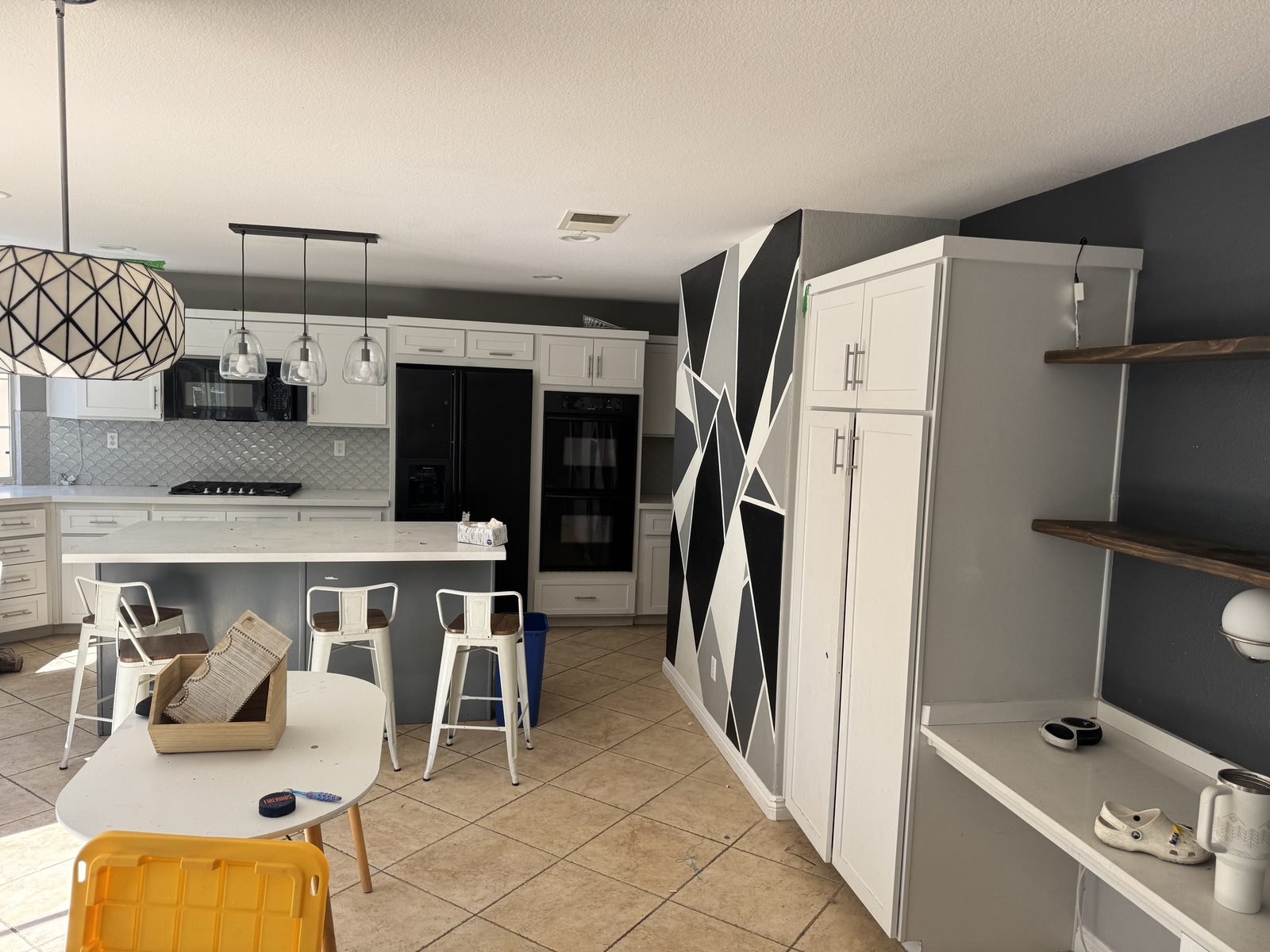
At the estimate, take 2 photos of the kitchen and say what changes ("white shaker cabinets, quartz counters, slab backsplash, keep the window and the range"). About 6 minutes later the client walks through their own kitchen in 360°, before and after, every change labeled. When they ask "what about navy lower cabinets?", a new version takes about 2 minutes.
At our own remodeling company, our close rate went from 3 in 10 estimates to 5–6 in 10 after we started sending 360° tours.
- Runs in your phone's browser, nothing to install; your client opens one link
- Keeps what stays (window, layout, appliances you list) and checks every change
- Plans: Starter $49/month (4 tours), Pro $99 (12), Team $249 (35). See pricing
The tradeoff: it doesn't price, schedule or draw construction plans. It sits in front of the tools below.
2. Clear Estimates: for kitchen estimating
Estimating software built for remodelers, with a library of local costs and templates for kitchens, baths and additions, and proposals you can send to clients.
Pair it with a visual so the proposal shows the finished kitchen, not just the line items. See remodeling proposal software.
3. Chief Architect: for detailed kitchen design
Professional design software used by kitchen and bath designers: cabinet layouts, elevations, materials lists and 3D renders. Premier is $229/month or $1,995/year.
The tradeoff: hours per kitchen and a learning curve. See Chief Architect alternative.
4. Houzz Pro: all-in-one with 3D and leads
Leads from Houzz, CRM, estimates, selections, 3D floor plans and project tools in one platform. Free plan; Design $99/month, Pro $199/month, Teams from $399/month.
5. Projul and Buildertrend: for running the kitchen job
Project management for scheduling trades, tracking selections, change orders and a client portal. Projul starts at $199/month billed yearly; Buildertrend from $499/month for the full platform. See remodeling contractor software for a full comparison.
6. CompanyCam: for job photos
Photo documentation from the field, organized by job: before, during and after, including what's behind the walls before they're closed. Useful for proof, warranty and marketing.
What should a kitchen remodel app handle?
| Stage | What you need | Why it matters on a kitchen |
|---|---|---|
| Sale | Show the finished kitchen in the client's space | Big ticket; clients won't sign what they can't picture |
| Estimate | Cabinets, counters, appliances, labor, allowances | Showroom price vs. installed price confuses clients |
| Selections | Cabinet style and color, counters, backsplash, hardware | Late selections delay cabinet orders by weeks |
| Sequencing | Demo, rough-in, cabinets, templating, counters, backsplash, appliances | Counters are templated after cabinets; one slip delays the rest |
| Lead times | Cabinets, appliances, special tile | Order the day the contract is signed |
| Change orders | Signed and priced before the work | Kitchens change mid-job more than any other room |
How do kitchen contractors win more jobs with an app?
Capture at the first visit
Take the 2 photos while you're measuring.
Send the visual with the estimate
The client compares your bid on the finished kitchen, not just the price. See how to present a remodeling estimate.
Show options fast
Two cabinet colors or two backsplash ideas, each a 2-minute change round.
Follow up with the link
The spouse who wasn't home sees it too. See how to follow up on a remodeling estimate.
More: AI kitchen remodel, kitchen remodel visualizer and cabinet and countertop sales software.