What is remodeling contractor software?
It's software built around how a remodel actually runs: a homeowner who lives in the house, a dozen trades on a small job, selections that change three times, and change orders that decide whether the job makes money.
General construction management software was made for new builds and commercial work, where plans are fixed before work starts. Remodeling is different. You're working in an occupied home, you find surprises behind the drywall, and your client is a homeowner who can't read a scope of work. Good remodeling software handles that: selections, change orders and a client portal matter more than heavy bid management.
What should remodeling contractor software do?
Look at it by stage of the job. Very few tools are strong at every stage, so it helps to know which stage is costing you the most money right now.
| Stage | What the software does | Why it matters in remodeling |
|---|---|---|
| Win the job | Leads, estimates, proposals, e-signature, visuals of the finished room | Homeowners compare bids. The one they can picture usually wins, not always the cheapest. |
| Selections | Tile, fixtures, cabinets and finishes the client picked, with allowances | Wrong or late selections cause most delays and arguments on kitchens and baths. |
| Change orders | Written, priced and signed changes before the work happens | Unbilled changes are where remodels lose their margin. |
| Schedule and subs | Calendar for crews and trades, reminders, daily logs | One late trade pushes every trade after it. |
| Client updates | A portal or messages with photos and progress | Fewer "what's happening today?" calls from people living in the job site. |
| Get paid | Invoices, progress billing, online payments, QuickBooks sync | Faster payments and a real job cost on every remodel. |
Which remodeling contractor software is best?
It depends on your size and what's breaking. Here are the tools that show up most for remodelers, with the starting prices each company lists on its own pricing page.
| Software | Best for | Starting price | Good to know |
|---|---|---|---|
| Buildertrend | Established remodelers and builders who want one platform for everything | From $499/month | Unlimited users and projects. Final price depends on your yearly volume and onboarding. |
| JobTread | Small to mid-size remodelers who want job costing without a huge bill | $199/month + $20 per internal user | No contract, no setup fee. About $159/month if paid yearly. |
| Projul | Remodelers who want simple scheduling, estimating and a client portal | $199/month (Starter, billed yearly, up to 3 users) | Change orders start on Core at $399/month; client portal on Core+ at $599/month. |
| Knowify | Trade and remodeling contractors who live in QuickBooks | $99/month (1 user) | Advanced is $329/month with 10 users. |
| Houzz Pro | Design-led remodelers who want leads, mood boards and 3D floor plans | Free plan; paid $99–$399+/month | Extra users $50 each. Houzz advertising is a separate cost. Compare |
| Jobber | Small repair and service jobs, handymen, one-day work | $49/month (Core, 1 user) | Built for service visits more than multi-week remodels. |
| Remodel in 360 | Winning the job: showing the client the finished room before they sign | $49/month (first tour free) | Not project management. Works next to any of the tools above. |
Prices from each company's public pricing page, checked October 2026. They change, so confirm before you buy. CoConstruct is moving its customers to Buildertrend and isn't a choice for new accounts. We make Remodel in 360, so weigh our view of our own product accordingly.
Buildertrend
The biggest all-in-one platform for residential builders and remodelers: scheduling, selections, change orders, a client portal, financials and more. It's powerful and priced for companies doing real volume. If you run a few jobs at a time, you may pay for a lot you don't use.
JobTread
Popular with growing remodelers for estimating and job costing at a lower starting price. You pay per internal user, so a small office stays affordable.
Projul
Simple to learn, with scheduling, estimating and invoicing on every plan. Selections, change orders and the client portal sit on the higher tiers, so check which plan you actually need.
Knowify
A good fit if your books run through QuickBooks and you care most about job costing, progress billing and time tracking.
Houzz Pro
Strong for design-build firms: lead generation from Houzz, mood boards, 3D floor plans and proposals. If you mostly want the visual part to sell jobs, see our Houzz Pro alternative page.
Jobber
Made for home service businesses: quoting, scheduling visits and getting paid. It works for small repair jobs, but it isn't built around selections and change orders.
Remodel in 360
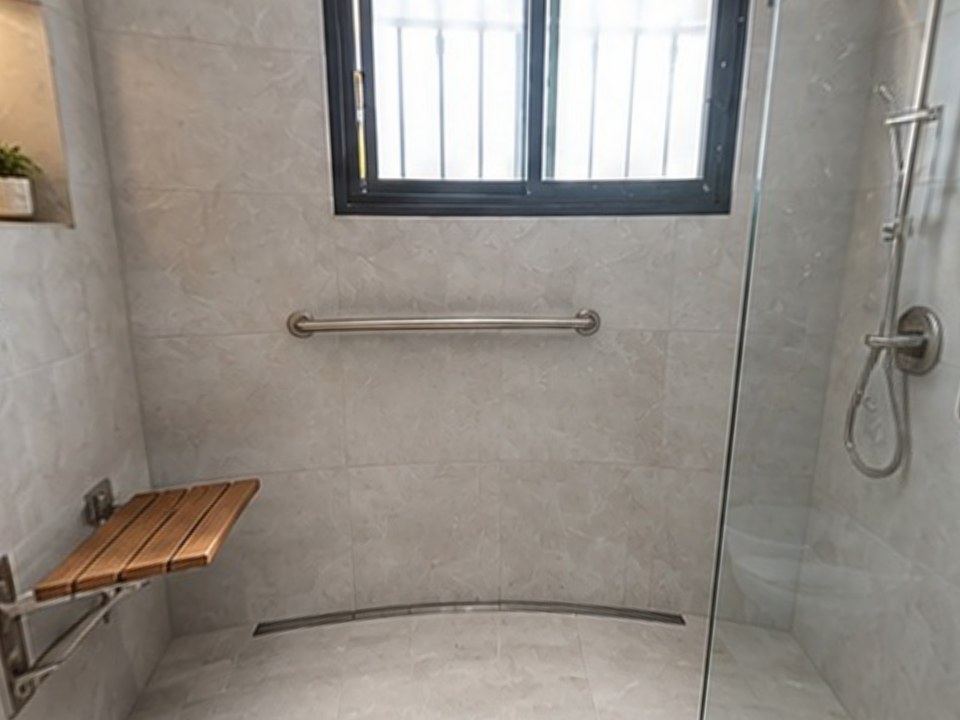
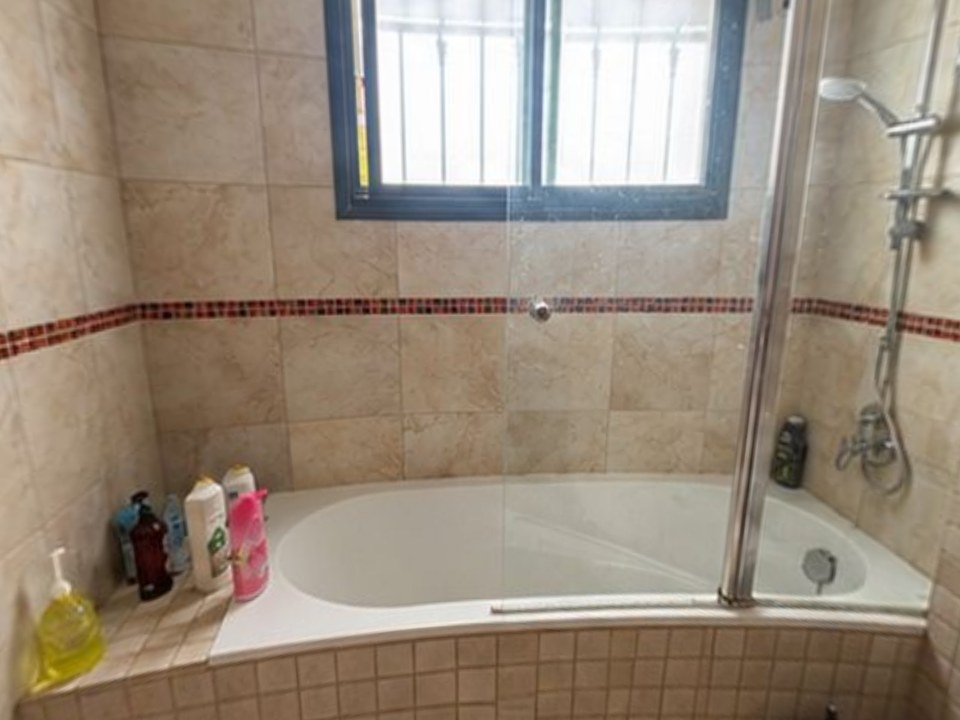
A sales tool, not a project manager. At the estimate you take 2 photos of the room; about 6 minutes later your client walks through their own bathroom or kitchen in 360°, before and after, with every change labeled. You send it with your estimate so they're buying a room they've seen, not a number.
How much does remodeling contractor software cost?
Most remodelers pay between $50 and $600 a month. Single-user tools start around $49–$99/month (Jobber, Knowify). Project management platforms for a small team usually run $199–$599/month (JobTread, Projul). All-in-one platforms for bigger companies start around $499/month and go up with volume (Buildertrend).
- Per-user fees: a $199 plan can become $300+ once your office manager and project managers are on it
- Plan tiers: change orders, selections or a client portal are often on a higher plan than the one advertised
- Yearly billing: many low prices are "billed annually", so you pay 12 months up front
- Onboarding and payment processing: ask if setup is extra and what card payments cost
A simple way to judge the price: what is one extra signed remodel worth to you? If a tool helps you close one more kitchen or bath a year, it usually pays for itself many times over. You can check your own numbers with our free close rate calculator.
What do kitchen, bath and whole-home remodelers need?
Kitchen remodelers
Selections and lead times. Cabinets and counters can take weeks, so you need selections locked early and tracked. Clients also struggle to picture a new layout, which is where a visual of their own kitchen helps. See kitchen remodel software for contractors.
Bathroom remodelers
Many decisions in a small space: tile, glass, niche, vanity, fixtures. Showing the client the finished bathroom avoids "that's not what I pictured" after the tile is set. See bathroom remodel software and tub to shower conversion software.
Whole-home and additions
Many trades, phasing and a family living in the house. Scheduling, daily logs and a client portal matter most here, which is where Buildertrend, JobTread and Projul are strongest.
Aging-in-place
Grab bars, curbless showers and wider doorways for clients and families who need to understand exactly what changes. See the aging-in-place bathroom visualizer.
Why do remodelers still lose jobs with good software?
Because most remodeling software starts working after the contract is signed. The job is won or lost earlier, at the estimate. Homeowners can't picture a remodel from a scope of work and a price, so they compare the only thing they can see: the number. That's how a better contractor loses to a cheaper bid. We wrote more about it in why homeowners pick the cheapest contractor.
A tour fixes that. Your client walks around their own room on their phone, switches between Before and After, and sees every change you're proposing, labeled. They're not buying a number anymore, they're buying the room they just walked through.
At our own remodeling company, our close rate went from 3 in 10 estimates to 5–6 in 10 after we started sending 360° tours.
How does Remodel in 360 work with your other software?
Keep your estimating, CRM and scheduling tools. Remodel in 360 fits between the walk-through and the signature, and runs in your phone's browser with nothing to install.
Take 2 photos
From the doorway and from the far corner, with your normal phone camera. No 360 camera, no tripod.
Say what changes
Type or dictate it: "tub out, walk-in shower, white tile to the ceiling, keep the vanity". You get a clear change list to confirm.
Send the tour
About 6 minutes later you have a 360° before & after tour with every change labeled, plus before/after sliders and one link for WhatsApp, text or email.
Send the tour link together with your estimate or proposal, then follow up with it. Here's how to present a remodeling estimate so it gets signed. Each tour includes 2 change rounds, so when the client asks "what about a darker floor?" you send a new version in about 2 minutes. Plans: Starter $49/month (4 tours), Pro $99/month (12 tours), Team $249/month (35 tours). See pricing.
Do you need remodeling software if you run 2 or 3 jobs at a time?
Not always. If you run a couple of jobs, do your own estimates and talk to every client yourself, a good estimate template, a shared calendar and QuickBooks can be enough. Start with our free remodeling estimate template and scope of work generator.
It's time for a project management platform when you see these signs:
- Change orders get done but not billed
- Subs show up on the wrong day, or the client hears about delays from the sub
- You can't say what you made on the last job until weeks later
- Selections live in texts and you've ordered the wrong item at least once
And if your problem is that you send estimates and don't hear back, project management won't fix that. That's a sales problem. Read how to beat lower bids.
How do you choose the right remodeling contractor software?
Name your biggest leak
Lost bids, unbilled changes, schedule chaos or slow payments. Pick the tool that is strongest at that stage.
Count your users
Price it with everyone who will log in, not the advertised one-user price.
Check the plan, not the brand
Make sure selections, change orders or the client portal are on the plan you'll pay for.
Try it on a real job
Use the free trial or free first project on an actual remodel, from estimate to invoice.
Check your other tools
QuickBooks sync, your phone, and whether clients need an app or account.