What is Hover, and why look for an alternative?
Hover (hover.to) builds a 3D model of a home from smartphone photos. Contractors use it for exterior measurements, design with real products and estimates, especially for roofing, siding, windows and gutters. On its pricing page (October 2026) you pay per project: on Starter, $59 for a simple structure and $99 for an average home; the Pro plan is $999 a year with lower project prices, and Business is $2,999 a year.
It's excellent for exteriors. People look for an alternative when they work inside the house (kitchens, baths, basements), need the client to see the finished remodel rather than measurements, want project management, or want a flat monthly price instead of per-project fees.
Which Hover alternatives are best?
| Tool | Best for | What you get | Starting price |
|---|---|---|---|
| Remodel in 360 | Kitchen and bath contractors selling interior remodels | 360° before & after tour of the client's real room from 2 photos, every change labeled | First tour free, then $49/month |
| Polycam | 3D scanning rooms and objects with a phone | LiDAR and photo scans, floor plans, measurements, exports | Free; Basic $150/year |
| Matterport | Accurate digital twins of existing spaces | 3D scans with measurements, floor plans and virtual tours | Free plan; Pro3 camera about $5,995 |
| magicplan | Interior floor plans and estimates on site | Room scans to floor plans, estimates and reports | Free version; from $9.99/user/month |
| JobTread | Running remodel jobs | Estimates, job costing, scheduling, client portal | $199/month + $20 per user |
| STACK | Takeoffs and estimates from plans | Plan measurement, markup, takeoff and estimating | From $299/user/month |
| Renoworks | Exterior product visualization | Siding, roofing and paint shown on a photo of the house | Quote-based |
Prices from each company's website or public listings (Capterra), checked October 2026. They change, so confirm before you buy. Hover and the other names are trademarks of their owners; we're not related to any of them. We make Remodel in 360, so weigh our view of our own product accordingly.
1. Remodel in 360: best for interior remodels the client needs to see
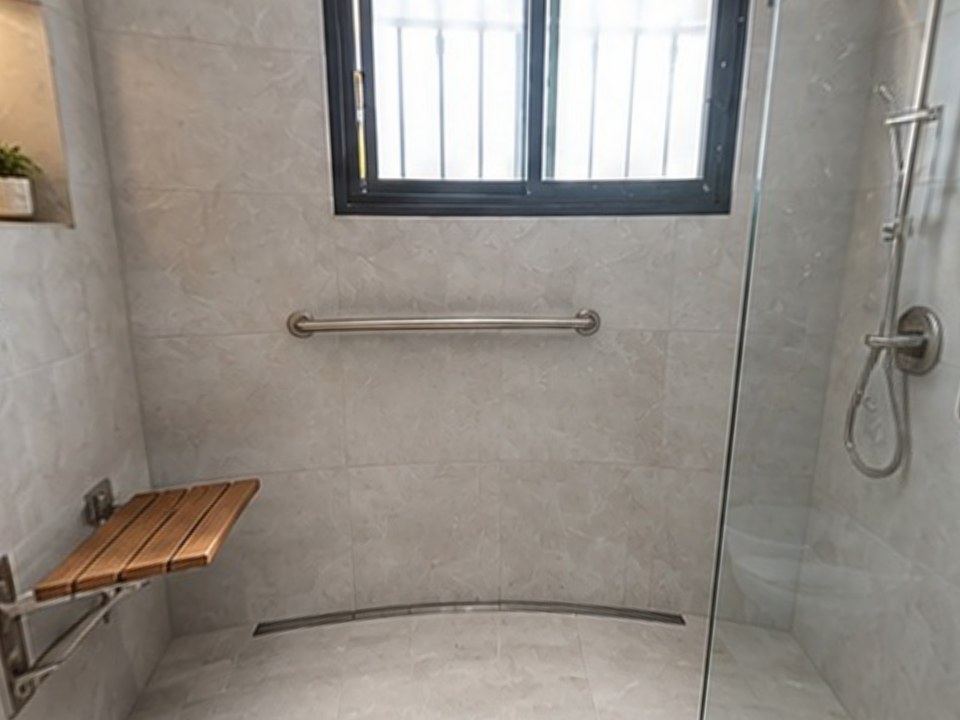
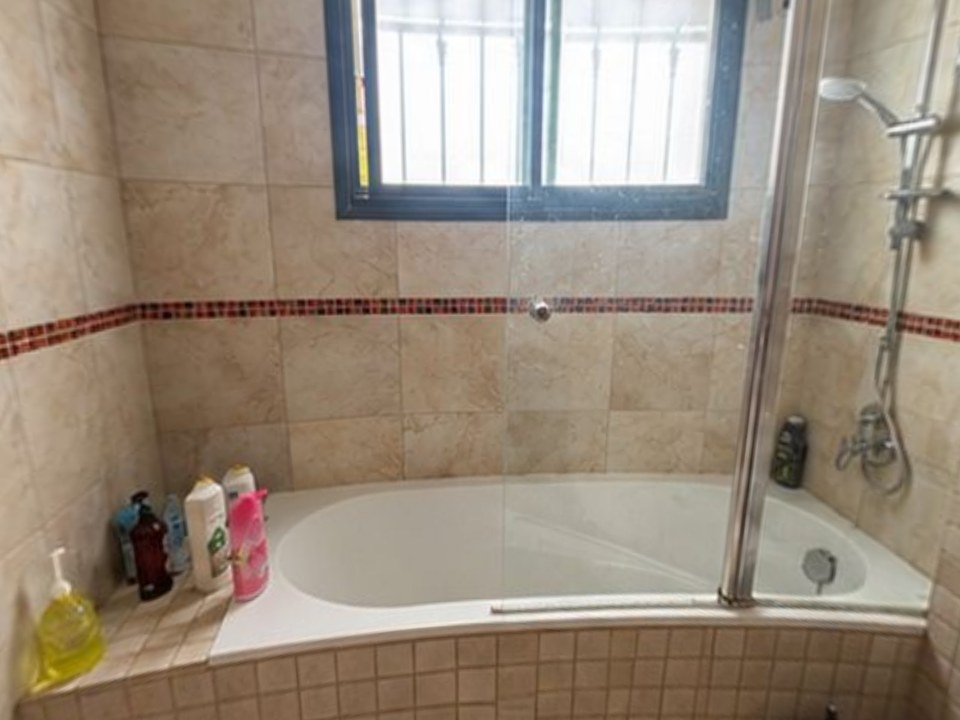
Hover is built around the outside of the house. Remodel in 360 is built for the inside, and for the sales visit: take 2 photos of the client's kitchen or bathroom, say what changes, and about 6 minutes later you send a 360° tour of that room before and after, with every change labeled.
At our own remodeling company, our close rate went from 3 in 10 estimates to 5–6 in 10 after we started sending 360° tours.
- Keeps what stays: the window, the toilet, the layout you aren't changing
- 2 change rounds per tour, about 2 minutes each
- One link for WhatsApp, text or email, no app for your client
- Flat monthly plans: Starter $49 (4 tours), Pro $99 (12), Team $249 (35). See pricing
The tradeoff: no exteriors yet, and it doesn't take measurements or price the job. Keep Hover for roofs and siding.
2. Polycam: best for 3D scanning with a phone
Polycam scans rooms and objects with your phone's LiDAR or photos, then gives you floor plans, measurements and 3D exports. Free to start; Basic is $150 a year and Business is $400 a year per user (Polycam's pricing page, October 2026).
The tradeoff: it captures what exists today, not what the room will look like after. See Polycam alternatives.
3. Matterport: best for accurate digital twins
Matterport captures a space as it is, with measurements, floor plans and a walk-through tour. Many pros use the Pro3 camera (about $5,995) plus a subscription.
The tradeoff: expensive hardware, and again only the "before". See Matterport alternative.
4. magicplan: best for interior floor plans and estimates
magicplan scans a room with your phone to create floor plans, then builds estimates and reports from them. Popular with contractors and restoration companies. Free version; paid plans from $9.99 per user per month (Capterra, October 2026).
The tradeoff: plans and numbers, not a visual the homeowner falls for. See magicplan alternatives.
5. JobTread: best for running remodel jobs
JobTread handles estimates, job costing, scheduling and a client portal. It's $199 a month plus $20 per internal user, with no contract or setup fee (its pricing page, October 2026).
The tradeoff: no 3D model or visuals. Many remodelers pair it with a visual sales tool. See remodeling contractor software.
6. STACK: best for takeoffs from plans
STACK is cloud takeoff and estimating software: measure and mark up plans, then build estimates. Takeoff and estimating start at $299 per user per month (STACK's pricing page, October 2026).
The tradeoff: you need plans to measure from; it doesn't capture the house from photos.
7. Renoworks: best for exterior product visualization
Renoworks shows siding, roofing, paint and other exterior products on a photo of the house, often for manufacturers and dealers. Pricing is quote-based.
The tradeoff: exteriors and product catalogs, not interior remodels. See Renoworks alternative.
How do you choose the right Hover alternative?
Inside or outside?
Exteriors: stay with Hover or try Renoworks. Interiors: Remodel in 360, Polycam or magicplan.
Measurements or selling?
Need numbers: Polycam, magicplan, Matterport, STACK. Need the client to say yes: Remodel in 360.
Per project or flat price?
Hover charges per project. Most alternatives are monthly or yearly, which is easier to budget if you do many jobs.
What else do you run?
If you need scheduling and job costing too, add a platform like JobTread.
When should you stay with Hover?
If most of your work is roofing, siding, windows or gutters and you need accurate exterior measurements and estimates from photos, Hover is hard to beat. Use an alternative for the jobs it isn't built for, like kitchens and bathrooms.