What does the slider maker make?
- A drag slider you can paste into WordPress, Wix, Squarespace or any site (Custom HTML block)
- A 7-second 1080×1920 wipe video for Reels, TikTok and Shorts: before, a wipe to after, then a split view
- A 1080×1350 before/after post image for Instagram, Facebook and your Google Business Profile
- Your company name on the video and your own labels (Before/After, or Day 1/Day 30)
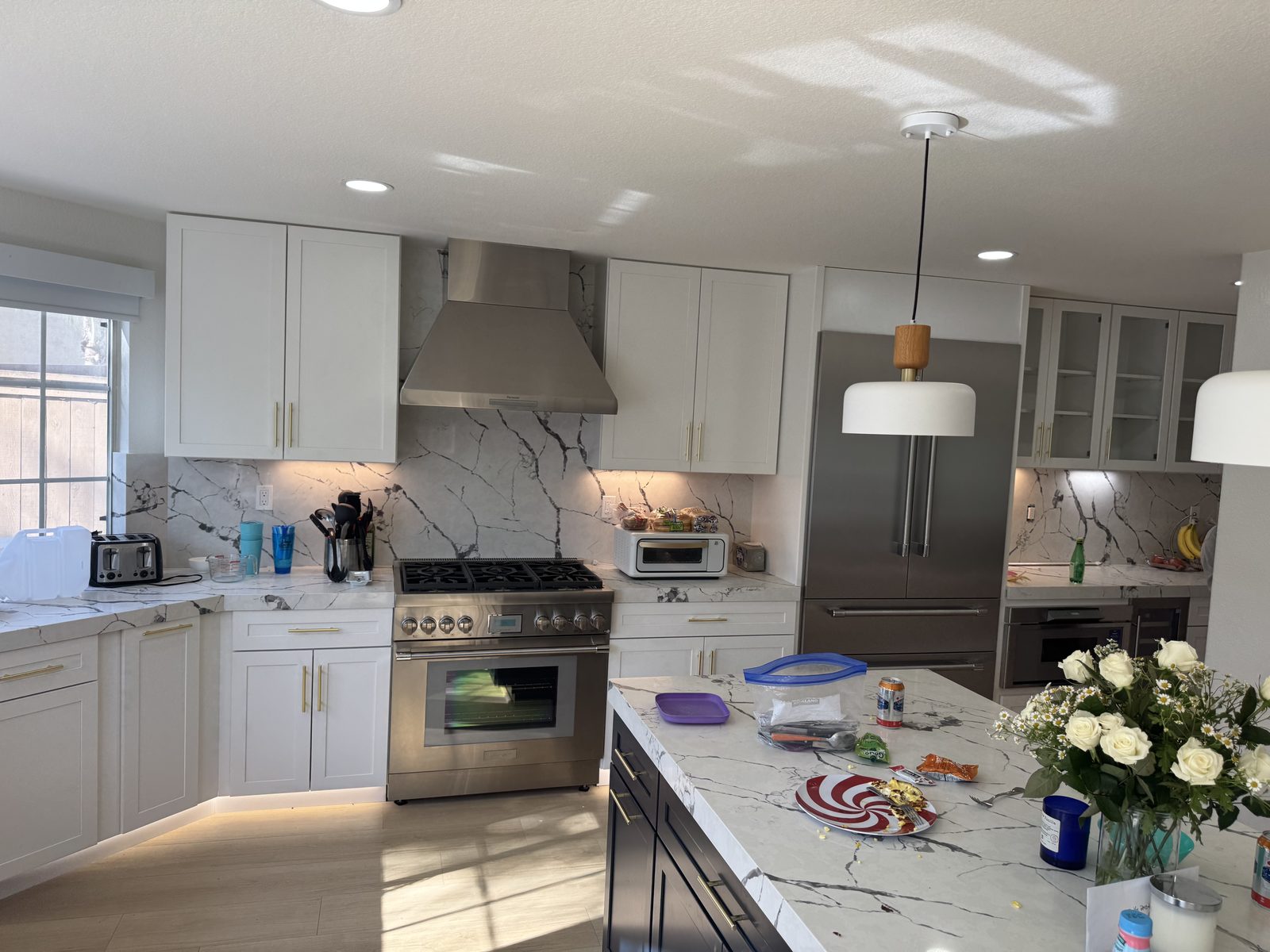
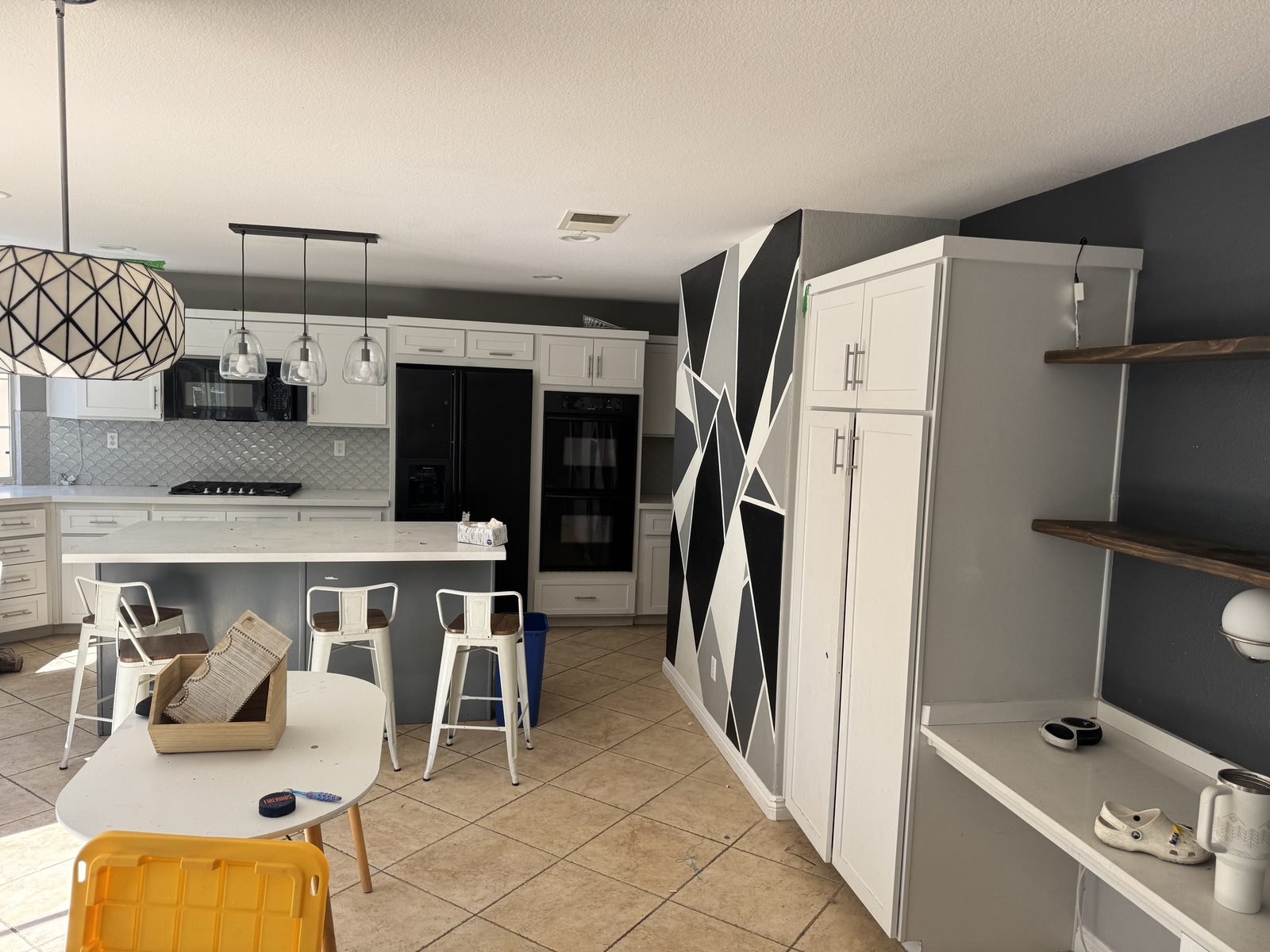
Why is this slider maker built for remodelers?
Most before and after tools are made for photo editors, beauty brands or web developers. This one is made for one job: getting a finished remodel in front of the next homeowner. The output sizes match where contractors actually post, the labels fit a job (Before/After, Demo day/Done), and there's nothing to install or learn.
| Where you post it | What to use | Why it wins work |
|---|---|---|
| Your website's project gallery | The drag slider | Visitors compare the job themselves and stay longer on the page |
| Instagram Reels, TikTok, Shorts | The 9:16 wipe video | The wipe is the moment people stop scrolling |
| Google Business Profile | The post image | Fresh project photos help your local listing look active |
| Estimate follow-up text or email | The post image or video | A similar finished job reminds the client what they'll get |
| Facebook groups and Nextdoor | The post image | Neighbors trust a local job they can see |
Which jobs make the best before and afters?
Kitchens
Shoot from the doorway or the corner that shows cabinets, counters and backsplash together. Open the blinds and turn on the under-cabinet lights for the after.
Bathrooms
Use the 0.5× wide lens from the doorway. Tub-to-shower conversions are the most dramatic wipe you can post.
Flooring, paint and basements
Shoot low and wide so the floor or walls fill the frame. Same time of day for both photos keeps the color honest.
Exteriors and decks
Stand at the curb or the yard corner, same spot both times, and avoid harsh midday shadows.
How do you take before and after photos that match?
Stand in the same spot
Mark it with tape or take the before photo from the doorway, so the after matches.
Hold the phone the same way
Same height, same angle, same lens (use the 0.5× wide lens for small bathrooms).
Turn on the lights
Open blinds and switch on every light for both photos. Avoid flash.
Clean up the after
Remove tools, tape and boxes. Small things like a towel or plant make it look finished.
Why do before and afters win remodeling jobs?
Homeowners hire the contractor they can picture doing their job. A wipe from a dated bathroom to the finished one says more about your work than any caption, and a feed of them becomes a portfolio. See how to get remodeling leads that convert.
Can you show the after before the job starts?
Your past before and afters prove you do good work. They don't show this client their own room. That's the part that usually decides the estimate, and it's what Remodel in 360 does: take 2 photos at the estimate, say what changes, and about 6 minutes later the client walks through their own kitchen or bathroom finished, in 360°, with Before and After. At our own remodeling company, our close rate went from 3 in 10 estimates to 5–6 in 10 after we started sending 360° tours.
Your first tour is free. See how it works or pricing.