What does cabinet and countertop sales software do?
| Job | What it handles | Example tools |
|---|---|---|
| Leads, CRM and follow-up | Track inquiries, automate follow-ups, estimates and payments | Houzz Pro, Builder Prime, QuoteIQ |
| Countertop shop work | Templating, slab and remnant inventory, scheduling | Moraware (Systemize, CounterGo), SlabWise |
| Cabinet design | Layouts, catalogs, cut lists and renders | 2020 Design, Autodesk Fusion, SketchUp |
| Closing the sale | Show the homeowner the finished kitchen in their own room | Remodel in 360 |
Where do cabinet and countertop sales stall?
After the showroom visit and the quote. The homeowner picked a door style from a sample and a quartz color from a 4-inch chip, and now has to imagine a whole kitchen. They hesitate, ask for more time, or compare your quote with a cheaper one on price.
Manufacturer visualizers show their own door styles on a sample kitchen; design software needs a full layout. What closes the sale is seeing their own kitchen with the cabinets and counters you're quoting, the same day.
At our own remodeling company, our close rate went from 3 in 10 estimates to 5–6 in 10 after we started sending 360° tours.
How does Remodel in 360 work in a kitchen?
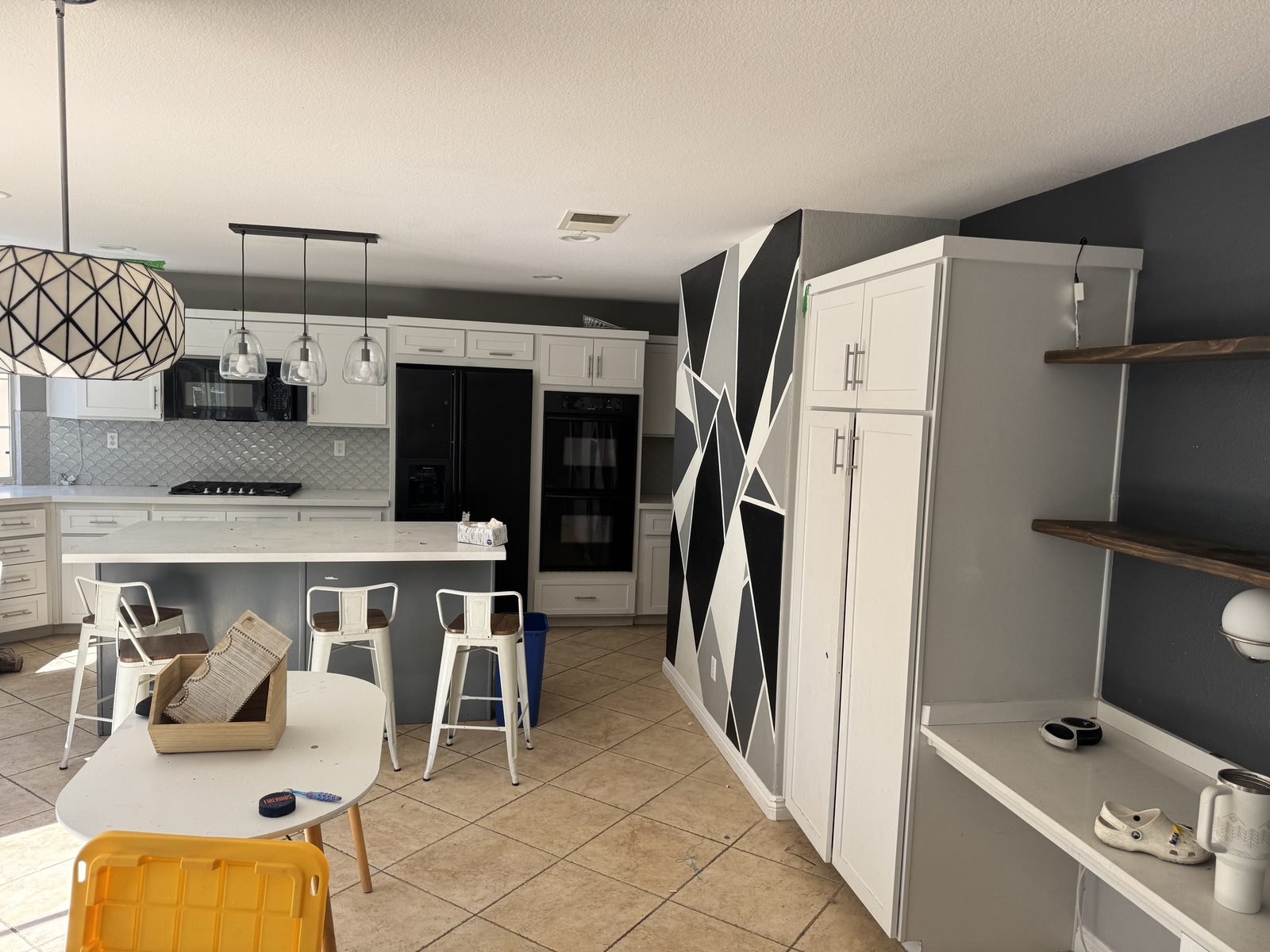
Take 2 photos
From the doorway and the far corner of the kitchen. Normal phone camera.
Describe the change
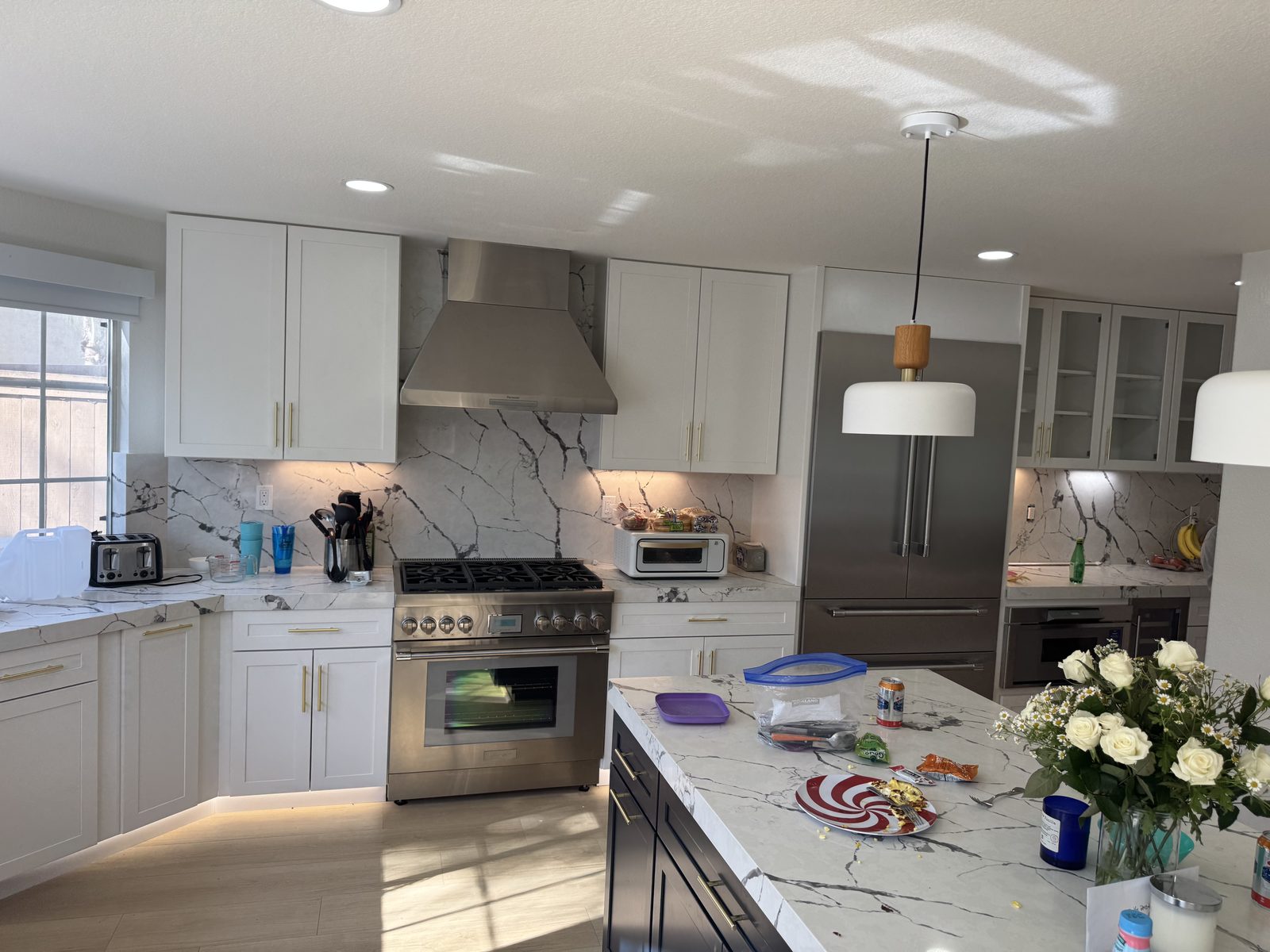
"White shaker cabinets, Calacatta quartz with a waterfall island, brass hardware, keep the window and range".
Show the tour
About 6 minutes later the client walks around their own kitchen in 360°, before and after, every change labeled.
Compare options
Navy lowers or white? Quartz or granite? Each change round takes about 2 minutes.
Which cabinet and countertop software should you use?
| Software | Best for | Starting price |
|---|---|---|
| Remodel in 360 | Showing the finished kitchen to close the sale | First tour free, then $49/month |
| Houzz Pro | CRM, leads, estimates and 3D floor plans | Free plan; paid $99–$399+/month |
| Builder Prime | CRM and estimates for cabinet shops | Free trial; see its site |
| QuoteIQ | CRM and quoting for countertop installers | $29.99–$699/month, flat tiers |
| Moraware (Systemize, CounterGo) | Countertop shop scheduling and quoting | See its site |
| SlabWise | Slab and remnant inventory | See its site |
| 2020 Design | Catalog-based kitchen design | Quote-based subscription |
| Autodesk Fusion | Cabinet design and CNC production | Subscription; free trial |
Prices from each company's website or published guides, checked October 2026. They change, so confirm before you buy. We make Remodel in 360; other names are trademarks of their owners. See also 2020 Design alternatives and Houzz Pro alternatives.
Does it work for refacing, replacement or a full remodel?
- Cabinet refacing: new door style and color on existing boxes
- Cabinet replacement: new cabinets in the same layout
- Countertops only: quartz, granite or butcher block on existing cabinets
- Backsplash and hardware upgrades
- Full kitchen remodels that keep the room's shape. See the kitchen remodel visualizer
For new layouts, islands that move or cabinets you're ordering, use design software for exact sizes. Use the tour to win the client first.
How do cabinet and countertop sellers use it in the sales process?
At the showroom or first visit
Take the photos while you measure.
With the quote
Send the tour link next to the price, so the client compares a finished kitchen, not numbers.
When they hesitate on finishes
Show two options side by side as change rounds.
For the spouse who wasn't there
One link that opens on any phone.
More: how to present a remodeling estimate and remodeling sales software.