What is an AI bathroom remodel?
It's a preview of a remodeled bathroom made by AI from photos of the bathroom as it is today. You show the room, say what should change, and the AI draws the after view: tile, shower, tub, vanity, mirror, lighting, paint.
There are two kinds of tools. Idea tools restyle one photo ("make it Scandinavian") so you can browse looks. Remodel tools show a specific plan in the real room so you can decide, price and sell it. Contractors need the second kind, because the client wants to see the job you're quoting, not a random style.
How does an AI bathroom remodel work?
Photograph the bathroom
Take 2 normal phone photos: one from the doorway, one from the far corner. No 360 camera or tripod.
Say what changes
Type or dictate it: "tub out, walk-in shower with a glass panel, white tile to the ceiling, keep the toilet and mirror". You get a change list to confirm.
Let the AI build the room
The AI stitches your photos into a 360° view of the bathroom and draws the after version with only the changes on your list.
Walk through and refine
Switch between Before and After, look around in 360°, and ask for changes like a lighter tile. Each new version takes about 2 minutes.
The result is one link that opens on any phone, with the 360° tour, the labeled changes and before/after sliders. Want to make your own slider from photos you already have? Try the free before and after slider maker.
How is Remodel in 360 different from other AI bathroom design tools?
Here's how the tools that show up for this search compare. Most are made for homeowners browsing ideas; they're fast and cheap, and good for inspiration.
| Tool | What you get | Made for | Price |
|---|---|---|---|
| Remodel in 360 | A 360° before & after tour of the real bathroom from 2 photos, every change labeled, 2 change rounds | Contractors selling a remodel (anyone can try it) | First tour free, then from $49/month |
| Home Design AI | One photo redesigned in a chosen style, with layout and fixture options | Homeowners and designers | Free credits to start, paid credits after |
| Ideal House | One photo restyled in the style you pick | Homeowners, designers, agents | See its site for current plans |
| Planner 5D | AI layouts and a 3D bathroom plan you can furnish | DIY planning from a floor plan | Free version and paid plans |
| RoomGPT | AI redesigns of one photo in different themes | Homeowners | 1 free redesign, then credit packs from $9 |
| Interior AI | Restyles and virtual staging from one photo | Designers, agents, homeowners | Limited free use; Pro about $29–$39/month |
Based on each tool's own website and public listings, checked October 2026. Prices change, so check before you pay. We make Remodel in 360. More detail: RoomGPT alternatives, Interior AI alternatives, Home Designs AI alternatives and Planner 5D alternative.
One photo vs. a room you can walk around
A single redesigned photo shows one angle. A 360° tour lets the client turn around, look at the shower, then the vanity, then the floor, the way they'd stand in the finished room. That's what makes it feel real enough to sign.
Your plan, not a random style
Style tools change everything at once. Remodel in 360 keeps what stays (the toilet, the window, the mirror) where it is and draws only what you're quoting, then checks every item on your list. Missed changes are redrawn free.
What can you change in an AI bathroom remodel?
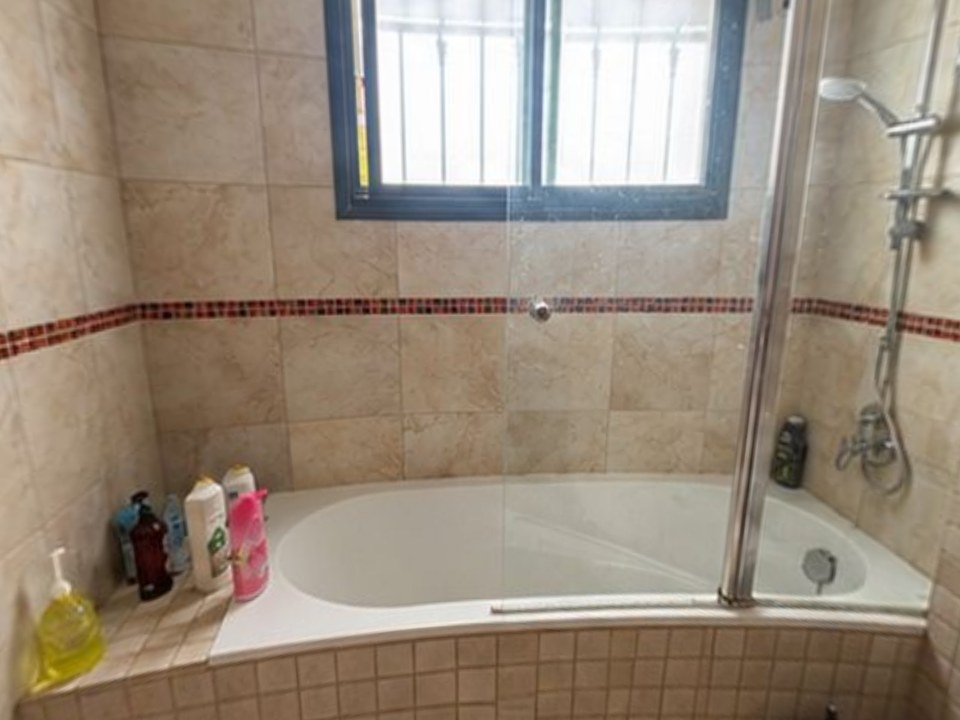
- Tub-to-shower conversions and walk-in showers. See tub to shower conversion software
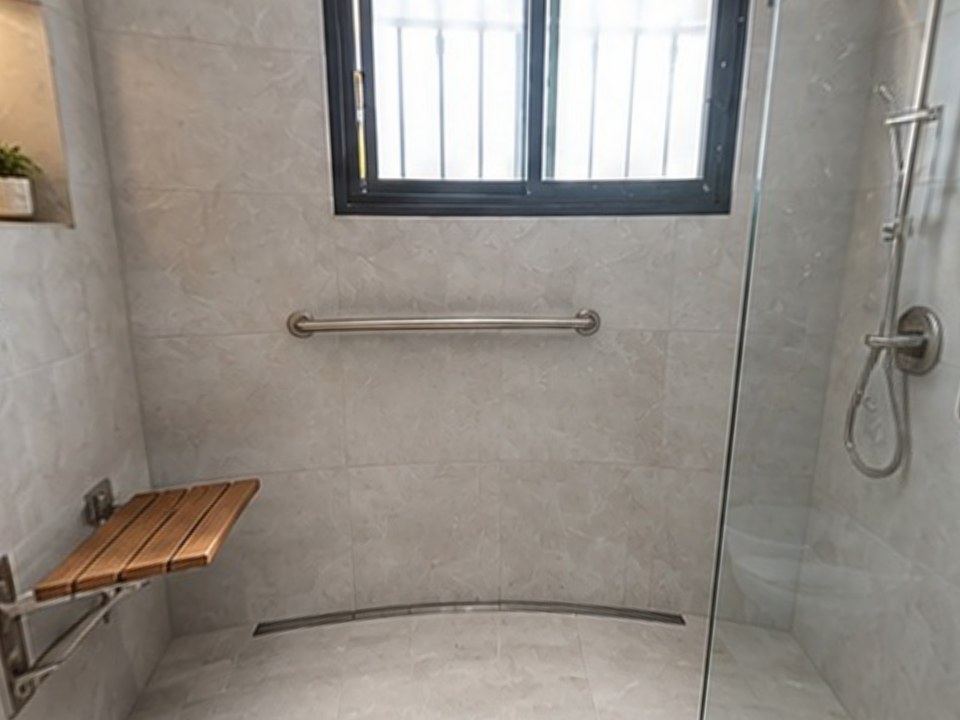
- Aging-in-place: curbless entry, grab bars, a fold-down seat. See the aging-in-place bathroom visualizer
- Floor and wall tile, including tile to the ceiling
- Vanity, mirror, lighting, faucets, fixtures and paint
- Glass panels, niches and shower doors
- "Keep this, change that" plans, because you list what stays
What does AI get wrong in bathroom remodels?
AI previews are great for deciding and selling, but they don't know what's behind the wall. Watch for these:
- Plumbing: AI can move a toilet or shower drain anywhere in a picture. In real life that can mean opening the floor, so price it before you show it
- Scale: tile size, vanity width and shower size can look bigger or smaller than they will be
- Hidden areas: parts of the room no photo shows are filled in plainly and may not match exactly
- Code and clearances: a preview doesn't check door swing, clearances or ventilation
That's why every Remodel in 360 tour says it's a visualization for selling, not a construction drawing. Keep fixtures you aren't moving on the "stays" list, and the tour keeps them where they are.
How do you photograph a bathroom for the best AI result?
- Take one photo from the doorway and one from the far corner, so together they see every wall
- Use the 0.5× wide lens if your phone has it, and hold the phone at chest height
- Turn on every light and open the blinds
- Move bottles, towels and the bath mat out of the shot
- Include some floor and ceiling in each photo
Which bathroom remodel styles are worth previewing?
Preview the decisions clients hesitate on most. These are the ones that change how the room feels:
- Walk-in shower with a glass panel instead of a tub
- Light tile to the ceiling for a small bathroom
- Large-format porcelain with fewer grout lines
- Wood vanity with a white top and matte black or brushed fixtures
- Curbless shower with a seat and grab bars for aging in place
- Lit niche and a new mirror and lighting
How much does a bathroom remodel cost, and what can a preview help decide?
A bathroom remodel costs about $100 to $500 per square foot, or $3,500 to $25,000+ for an average 35 to 50 square foot bathroom, according to HomeGuide (checked October 2026). A large primary bathroom with high-end finishes can reach $60,000.
| Remodel type | Average total cost | What's included |
|---|---|---|
| Minor renovation | $3,500 – $7,500 | Flooring, vanity, paint and fixtures, or a prefab shower stall |
| Partial remodel | $5,300 – $15,000 | Replacing some of the tub, shower, sink, toilet, vanity and tile |
| Full remodel | $8,800 – $25,000+ | Layout changes, possibly luxury or custom materials |
Source: HomeGuide bathroom remodel cost, for a 35 to 50 square foot bathroom, checked October 2026.
A preview won't price the job, but it helps with the expensive decisions: tub or shower, tile choice and height, and vanity. Seeing them first means fewer changes after the work starts. For contractors, it also helps the client compare your bid on what they get, not only the price.
How do contractors use AI bathroom remodels to win jobs?
Take the 2 photos at the first visit and send the tour with your estimate. Your client walks through their own finished bathroom on their phone and shows it to their spouse. When they ask for a lighter tile or a different vanity, type it in and send a new version in about 2 minutes, while you're still at the table.
At our own remodeling company, our close rate went from 3 in 10 estimates to 5–6 in 10 after we started sending 360° tours.
More on this: bathroom remodel software for contractors, the best bathroom remodel apps for contractors and our bathroom remodel visualizer.
Can homeowners use an AI bathroom remodel tool?
Yes. Remodel in 360 is made for contractors, but anyone can make the first tour free with just an email. If you're planning a remodel, make a tour of the changes you have in mind and send the link to the contractors you're getting quotes from, so everyone is pricing the same bathroom.