What is Interior AI, and what does it cost?
Interior AI (interiorai.com) turns one photo of a room into redesigns in many styles, and also does virtual staging of empty rooms. It's used by homeowners looking for ideas, interior designers and real estate agents.
Toolradar lists Pro at $39/month or $390/year for 1,000 generations a month (October 2026). There's limited free use to try it.
Why do people look for Interior AI alternatives?
- The result can change the room itself: windows, walls or the layout shift, so it no longer looks like their room
- One flat image per angle, with limited control over exact materials and fixtures
- No floor plans, measurements or 3D model to build from
- Designers need team review, revisions and presentation tools; agents need cheap staging at volume
- Contractors need the exact scope they're quoting in the client's real room, not a restyled idea
Which Interior AI alternatives are best? (comparison table)
| Tool | Best for | Starting price | Free option |
|---|---|---|---|
| Remodel in 360 | Contractors: the client's real room, finished, in 360° | $49/month (4 tours) | First tour free |
| RoomGPT | Cheap one-off redesign ideas | Credit packs from $9 for 30 | 1 free redesign |
| Spacely AI | Interior designers who want control | Personal $25/month | See its site |
| Collov AI | Real estate virtual staging | From $16/month | See its site |
| REimagineHome | Agents: staging and decluttering | See its site | A few free designs |
| Home Designs AI | Interiors, exteriors and gardens | About $27–$37/month | See its site |
| Foyr (Neo) | Designers: floor plan to photoreal render | From $33/month, billed yearly | See its site |
| Planner 5D | DIY floor plans and 3D design | See its site | Free version |
| Homestyler | Cheap 3D floor plans and renders | Pro $4.90/month | Free plan |
| DecorMatters | Decorating with real products | See its site | Free app |
Prices from each company's site or listings on Toolradar, Capterra and PricingSaaS, checked October 2026. AI tool prices change often, so confirm before you buy. Interior AI and the other names are trademarks of their owners; we're not related to any of them. We make Remodel in 360, so weigh our view of our own product accordingly.
1. Remodel in 360: best Interior AI alternative for contractors
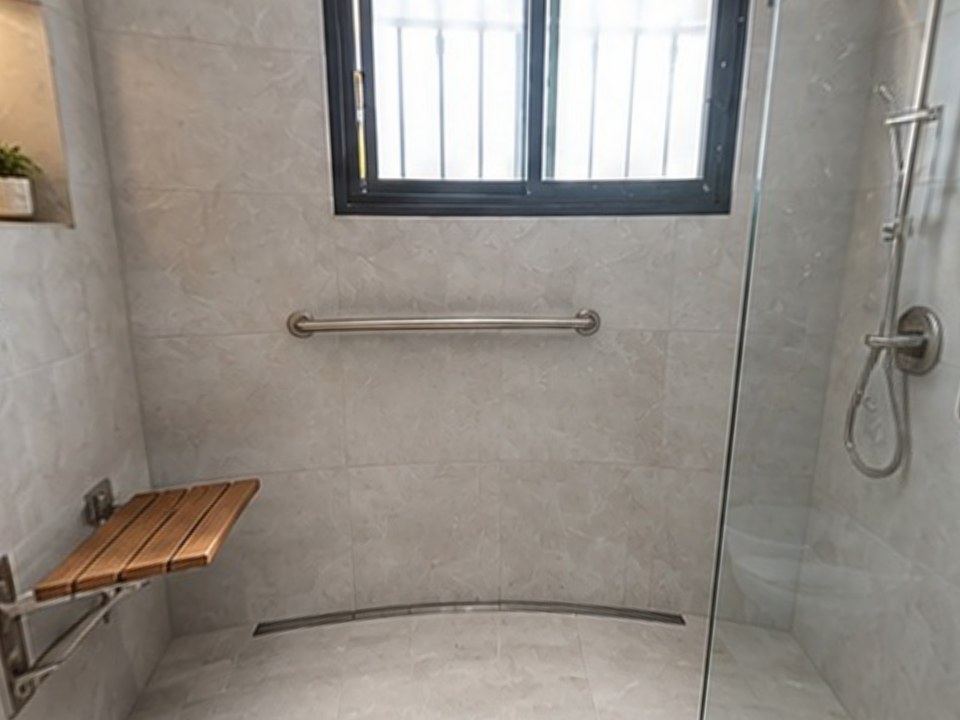
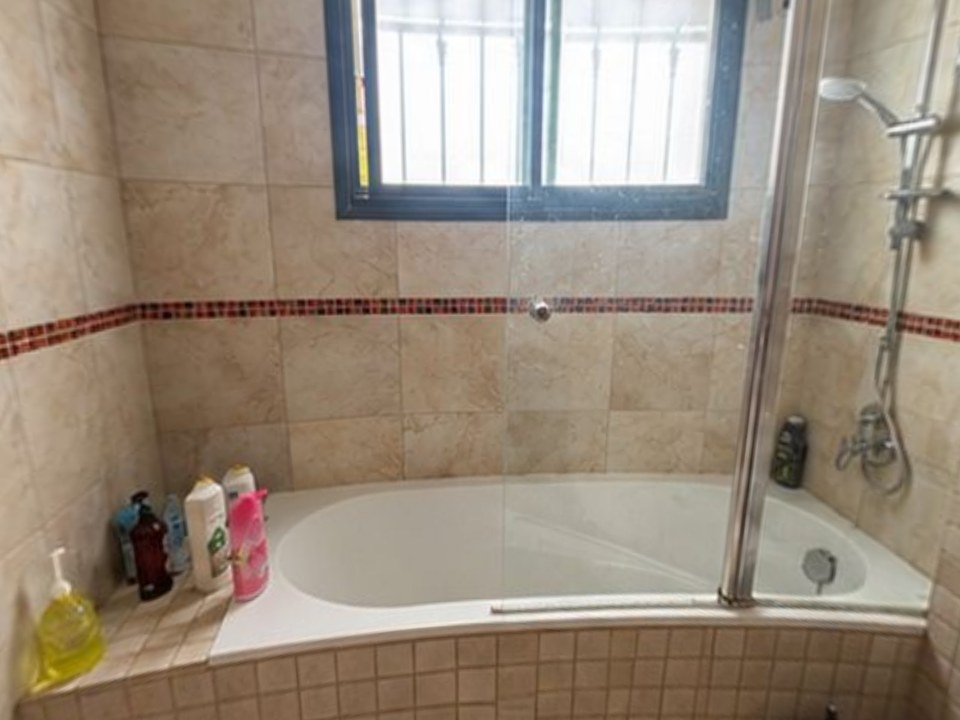
Interior AI shows what a room could look like in a new style. Remodel in 360 shows a client what their room will look like after the remodel you're quoting. Take 2 phone photos at the estimate, say exactly what changes, and about 6 minutes later the client walks through their own kitchen or bathroom in 360°, before and after, with every change labeled. The walls, windows and anything you said to keep stay where they are.
At our own remodeling company, our close rate went from 3 in 10 estimates to 5–6 in 10 after we started sending 360° tours.
- The client's real room in 360°, not one restyled angle
- Only the changes you list, checked against a change list before the tour is made
- 2 change rounds per tour, about 2 minutes each
- One link for WhatsApp, text or email. Plans: Starter $49/month (4 tours), Pro $99 (12), Team $249 (35). See pricing
The tradeoff: no decor style browsing or virtual staging. If you're a homeowner looking for ideas or an agent staging listings, one of the tools below fits better.
Which Interior AI alternatives are best for ideas and homeowners?
2. RoomGPT
Upload one photo and get AI redesigns in different themes. 1 free redesign, then one-time credit packs from $9 for 30, with no subscription (Toolradar). See RoomGPT alternatives.
3. Home Designs AI
AI redesign for interiors, exteriors and gardens from a photo. About $27–$37/month depending on plan (Capterra). See Home Designs AI alternatives.
4. DecorMatters
A decorating app built around real products you can buy, with a design community. Free to download; check its site for paid features.
Which Interior AI alternatives are best for designers and real estate?
5. Spacely AI
AI renders for interior designers with more control over the result and shared editing. Credit-based plans: Personal $25/month, Studio $50/month, Agency $100/month (Spacely AI, July 2026 pricing).
6. Foyr (Neo)
Interior design software that goes from floor plan to furnished 3D and photoreal renders. Plans from $33/month billed yearly, up to $103/month for Premium (PricingSaaS, October 2026).
7. Collov AI
Virtual staging and photo editing for real estate: furnish empty rooms, swap styles, twilight shots. From $16/month (Toolradar).
8. REimagineHome
AI redesign, decluttering and virtual staging aimed at real estate agents. A few free designs to start. See REimagineHome alternatives.
Which alternatives give you floor plans and 3D?
9. Planner 5D
Draw or upload a floor plan, then furnish and decorate it in 3D from a large library. Free version and paid plans. See Planner 5D alternatives.
10. Homestyler
Browser-based 2D/3D floor plans and renders with a large product library. Free; Pro $4.90/month, Master $9.90/month (Capterra). See Homestyler alternatives.
Both mean drawing the room first. For a quick picture of a real room, a photo-based tool is faster; for layouts and measurements, these are better.
Is there a free Interior AI alternative?
Several have free options: RoomGPT gives 1 free redesign, REimagineHome a few free designs, Homestyler and Planner 5D have free plans, DecorMatters is a free app, and Remodel in 360's first full tour is free with no card. Unlimited free AI redesign is rare; most tools switch to credits or a subscription quickly.
How do you choose the right Interior AI alternative?
Name the job
Ideas for your own home, staging a listing, presenting to a design client, or selling a remodel. Each needs a different tool.
Test with the same photo
Run one real room through 2 or 3 tools and check whether windows, doors and walls stay put.
Check the output you need
One image for inspiration, a staged photo for a listing, a 3D plan for a build, or a 360° tour of the finished room for a client deciding on a $40,000 job.
Price a normal month
Credits and per-seat pricing add up. Compare what you'd actually use, not one image.
When should you stay with Interior AI?
If you want fast style ideas and virtual staging from a single photo at a fair monthly price, Interior AI does that well. Switch when you need something it isn't built for: design-team workflow, floor plans, buyable products, or the client's real room with an exact remodel scope.